How to find materials.
Answer all these questions after doing some practice.
1- What is "smart" searching?
2- What are the most popular search engines?
3- The websites that appear at the top of the results pages are there for several?
4- Is it better to put more or less words into search engine?
5- Should you include words such as the, in, and when searching? Why, or why not?
6- What happens if I put a "+"/"-"before the information that I am searching for?
7- If I type "OR" between two words that I am looking for, what will the search engine do?
8- If I type "Angelina Jolie is going to marry Brad Pitt", what will the search engine do?
9- How do you limit the search to only one website?Such as the BBC?
10- If I go to http://news.google.com, what type of information do you think I am looking for?
Thursday, 8 May 2008

Monday, 14 April 2008
Wednesday, 9 April 2008
Reporting on a forum

John Thorp is a reporter from the Guardian. He is interviewing Louise Waters who participated in the alt.alien.visitors forum. John is asking her about what Ron, Ben, Thelma and Steve said about a UFO.
Write his interview.
Start like this:
John Thorp : Good morning Mrs. Waters. I know you like participating in forums about UFOs. You told me that you really believe in them. I know you were in a forum when someone said he had seen a UFO. Could you, please, answer a few questions?
John Thorp : Right then. What forum is this?
Louise Waters: It is the …..
(use questions on unit 13, page. 55)
Monday, 31 March 2008

Wednesday, 6 February 2008
A school LAN

Unit 11
1- Make a mind map of a school LAN.
When you finish you have to:
2- Describe what kind of hardware is used
3- Who are the users?
4- What do teachers use it for?
5- What does the Headmaster use it for?
6- What do the secretaries use it for?
7- What do students use it for?
8- What do the librarian use it for?
Your LAN should include at least:
2 IT classrooms with 15 computers each
1 staffroom
1 Headmaster office
1 Secretaries office
1 Library
You can use http://www.gliffy.com/ for your mind map
Monday, 28 January 2008
Description of a LAN
Write a description of the LAN in pag. 46
Remember to look at your answer in task 1 to help you.
Start like in task 12 pag. 49
Title:
New Town Health Centre
Local Area Network
Remember to look at your answer in task 1 to help you.
Start like in task 12 pag. 49
Title:
New Town Health Centre
Local Area Network
Sunday, 9 December 2007
Updating our storage devices


Our book needs a bit of updating. You have to
rewrite the paragraph on CD-ROM.
- Talk about capacity
- Revise and change the following
“they are usually read-only”.
- Talk about CD-ROM R/WR and DVD R/WR.
Here you have a useful sentence: “They can hold from …MB to …MB”
Write a complete new paragraph talking about pen drives.
Your paragraph should include:
- You use it for …
- It is easy/difficult to carry data
- Capacity
- Price (expensive/cheap)
If in doubt go to page 35.
We need a new printer.

Claire
I need to print in colour, but I don’t mind if it is not fast. What kind of printer should I buy?

I need to print really fast. I’m not going to use colour or images. Shall I buy an inkjet printer?
1-Use the language in task 5, pag. 32
2- Add a reason to your advise.
Monday, 19 November 2007
What are they for?


Tell us what you use these input devices for.
You CAN NOT use the same structure.
You will see different ways of describing the function or use of a device

Wednesday, 7 November 2007
Talking about mice

James needs a new mouse. Tell him the difference between a LED mouse and a laser mouse. Give him advise about which one to buy. Give him also reasons for your choice. Add a picture of each mouse.
Thursday, 25 October 2007
isabelperez.com
Add a new web page to your delicious.
Instructions:
1- save it
2- tag: “English”
3- notes: Have a look at the web and write your own comments. They should reflect what the web is about.
Remember a description is always compulsary, in case you don’t have your buttons yet.
No idea what buttons are?
Instructions:
1- save it
2- tag: “English”
3- notes: Have a look at the web and write your own comments. They should reflect what the web is about.
Remember a description is always compulsary, in case you don’t have your buttons yet.
No idea what buttons are?
Thursday, 18 October 2007
Links
Add a link list on your right. It should have a link to your teacher's blog and a link to your delicious.
It should read:
(title) My links
My teacher's blog
My delicious
It should read:
(title) My links
My teacher's blog
My delicious
Sunday, 14 October 2007
The best computer is ...
 COMPARING COMPUTERS
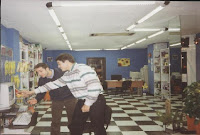
You have to help these two boys to buy a computer for their personal use. Choose three computers from the internet, compare them and tell us which one they should buy. Show us the computers and give reasons for your election.
We will look at your choice and decide which one is the best option. You have to look for good value, good quality and good price.
HELP
Here you have some vocabulary that may help you:
Fast, slow, expensive, cheap, powerful, large, small, light,heavy, better, the best, worse.
Remember to use things like “computer A is faster than computer B” “computer C is the fastest” “computer A is more expensive than…”
Have a look at page 12 in your book for extra help.
Good luck!


Subscribe to:
Posts (Atom)